TIP: To keep things as safe as possible, rely mostly on ESP and only use the more obvious features here and there.
1
Getting Started
Disable Windows Defender
Why is this needed?
Antivirus often flags game cheats as suspicious because they inject code or modify games to enable features like aimbot or ESP. This is normal behavior for all cheat software - not a sign that Noble Cheats is unsafe.
- Open Windows Security
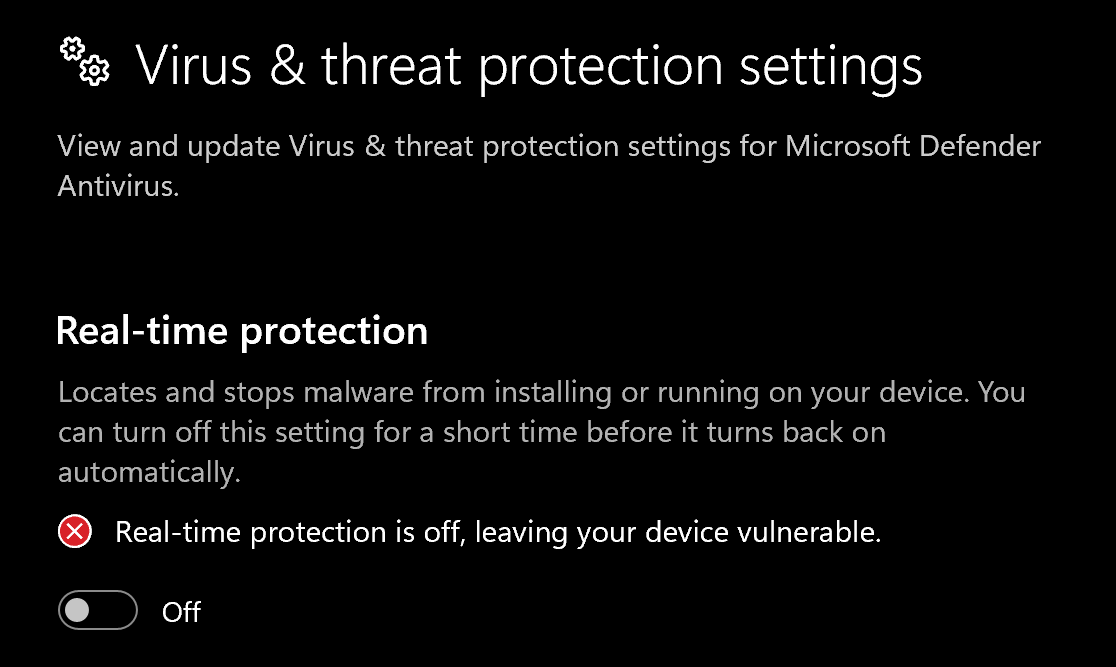
- Go to Virus & threat protection > Manage settings
- Turn off all protection settings:
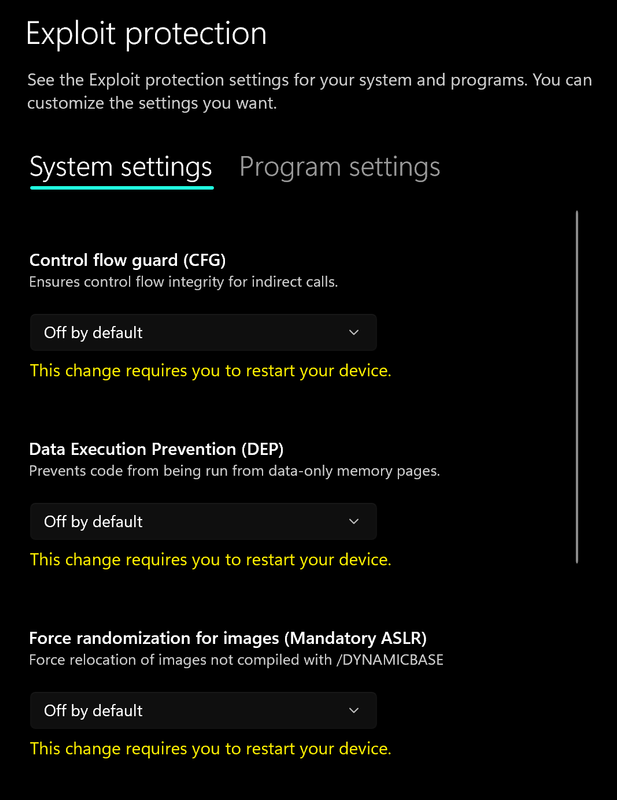
- Go to App & browser control > Exploit protection settings
- Select “off by default” for each option
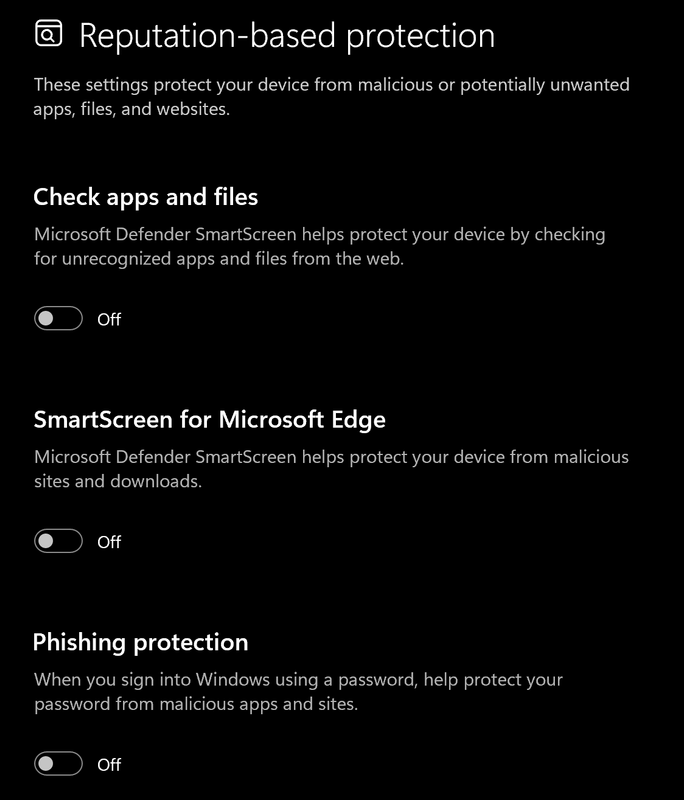
- Go to App & browser control > Reputation-based protection settings
- Turn off all options
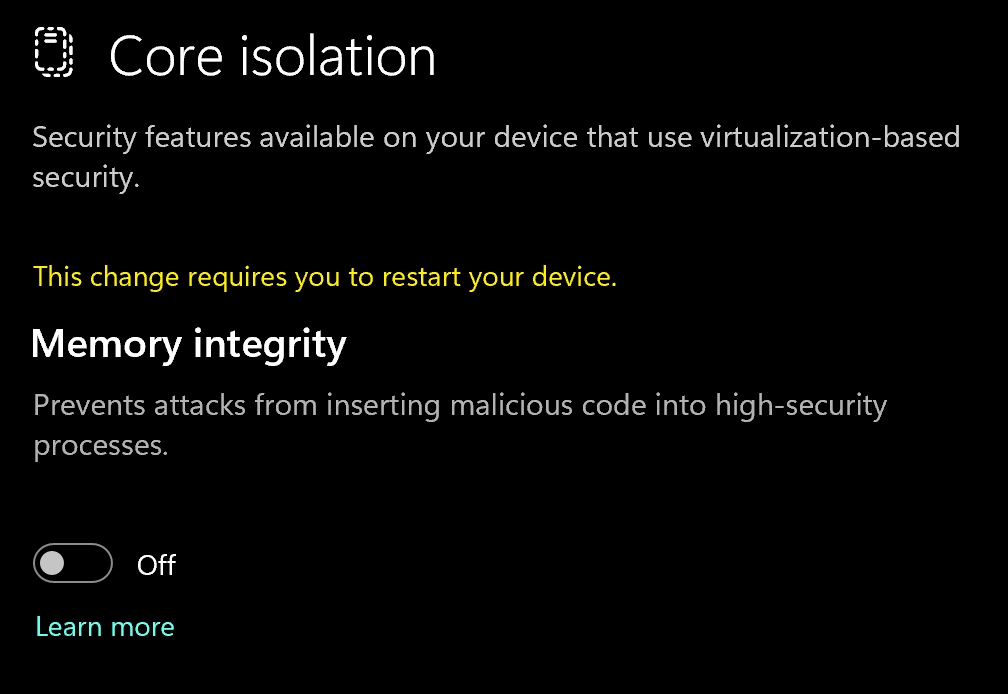
- Go to Device security > Core isolation
- Turn off Memory integrity
Using DControl
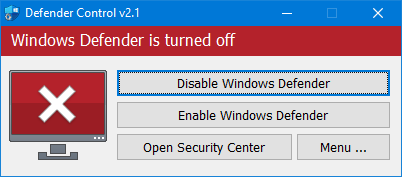
If Windows Defender keeps re-enabling, use DControl:- Download WinRar and install it. (Needed to extract archives)
- Download DControl
- Extract the .rar archive with password “sordum”
- Open DControl then press “Disable Windows Defender”
Required Files
https://www.microsoft.com/en-us/download/details.aspx?id=35https://aka.ms/vs/17/release/vc_redist.x64.exe2
Downloading the Cheat
Cheat Loader Download
You can download the Executor from the link below:https://getwave.gg/downloads/Wave.exe3
Injecting the Cheat
Loading/Injecting
- Launch Wave executor
- Enter the license you got sent via email or get it in your customer panel after purchase.
- Launch Roblox (wave will auto inject for you)
Common Errors
Loader Connection Issues?
Loader Connection Issues?
- Download: Cloudflare Warp
- Connect to Warp then try to launch the loader!
Roblox Crashing
Roblox Crashing
Uninstall previous Water files using Revo Uninstaller:https://www.revouninstaller.comIf the issue persists, reinstall Fishstrap:https://fishstrap.appClear Files (IMPORTANT): Press Win + R, type %localappdata%, press Enter Go to \Water and delete all files Go back to AppData and delete the Fishstrap and Bloxstrap folders Reinstall everything from scratch:https://fishstrap.app
If it says License is expired or invalid on new keys
If it says License is expired or invalid on new keys
- Fully close Wave
- Reopen Wave (license should redeem automatically) If it still doesn’t redeem:
ipconfig /flushdns Then Restart the computer
Fix Module Error
Fix Module Error
Press Win + R, type
Water.zip:
https://1drv.ms/u/c/20cbc2d93aa72b48/IQDcmGXOBZiOR4olt2w9n_bEAb1UloUrroGJfAZK8f0O5is?e=To2WurWater.WebView2.zip:
https://1drv.ms/u/c/20cbc2d93aa72b48/IQD2ThNh1vfTT71CCDHqodXGAS-qVzhFmnxwqvr6I5nrmDU?e=vRq1En
%localappdata%, press Enter Replace the \Water and \Water.WebView2 folders Note: Extract both ZIP files first, then replace the old folders with the new ones Water.zip:
https://1drv.ms/u/c/20cbc2d93aa72b48/IQDcmGXOBZiOR4olt2w9n_bEAb1UloUrroGJfAZK8f0O5is?e=To2WurWater.WebView2.zip:
https://1drv.ms/u/c/20cbc2d93aa72b48/IQD2ThNh1vfTT71CCDHqodXGAS-qVzhFmnxwqvr6I5nrmDU?e=vRq1En