TIP: To keep things as safe as possible, rely mostly on ESP and only use the more obvious features here and there.
1
Getting Started
Disable Windows Defender
Why is this needed?
Antivirus often flags game cheats as suspicious because they inject code or modify games to enable features like aimbot or ESP. This is normal behavior for all cheat software - not a sign that Noble Cheats is unsafe.
- Open Windows Security
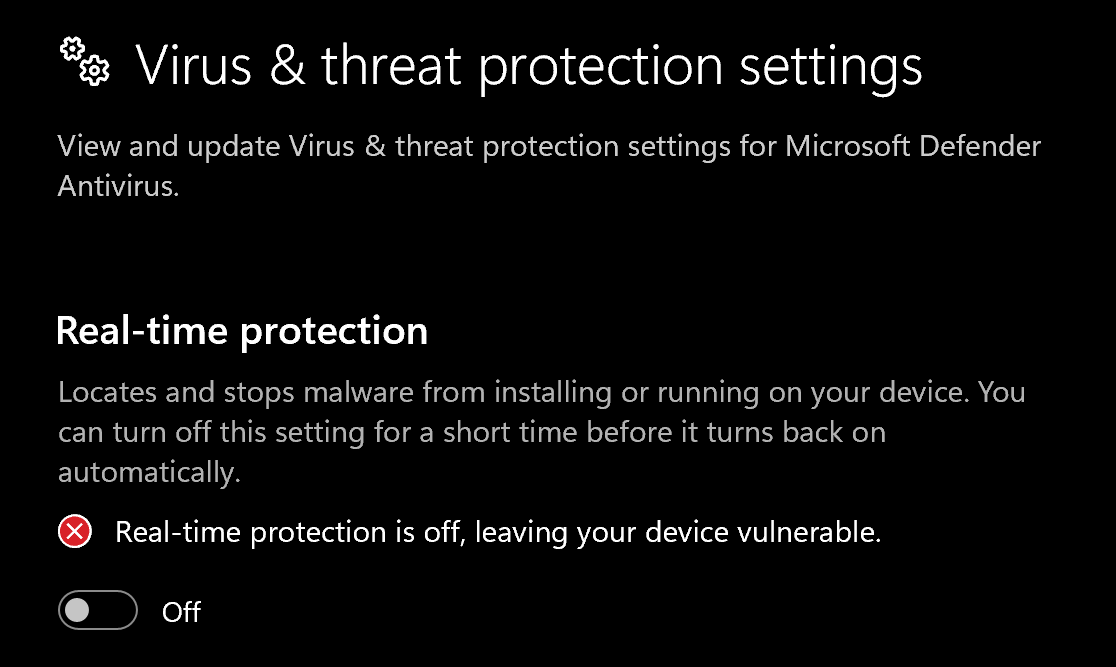
- Go to Virus & threat protection > Manage settings
- Turn off all protection settings:
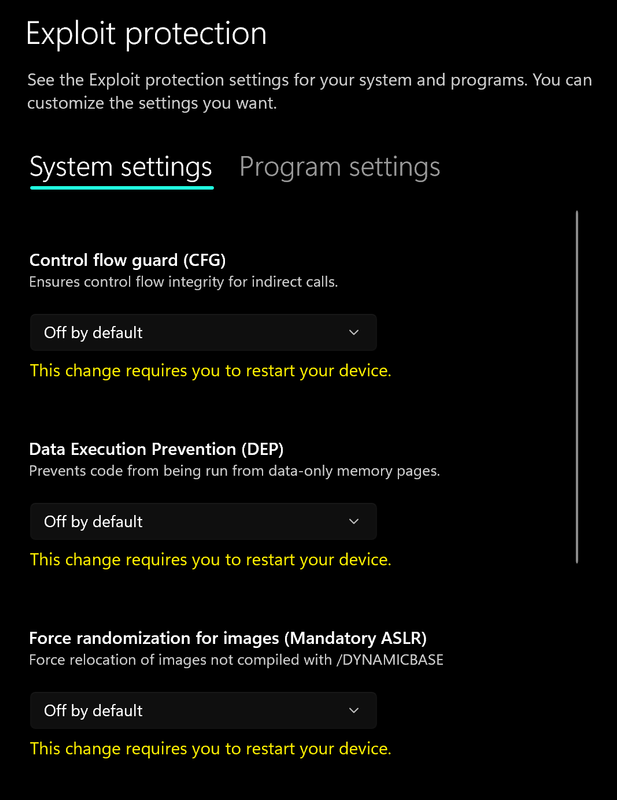
- Go to App & browser control > Exploit protection settings
- Select “off by default” for each option
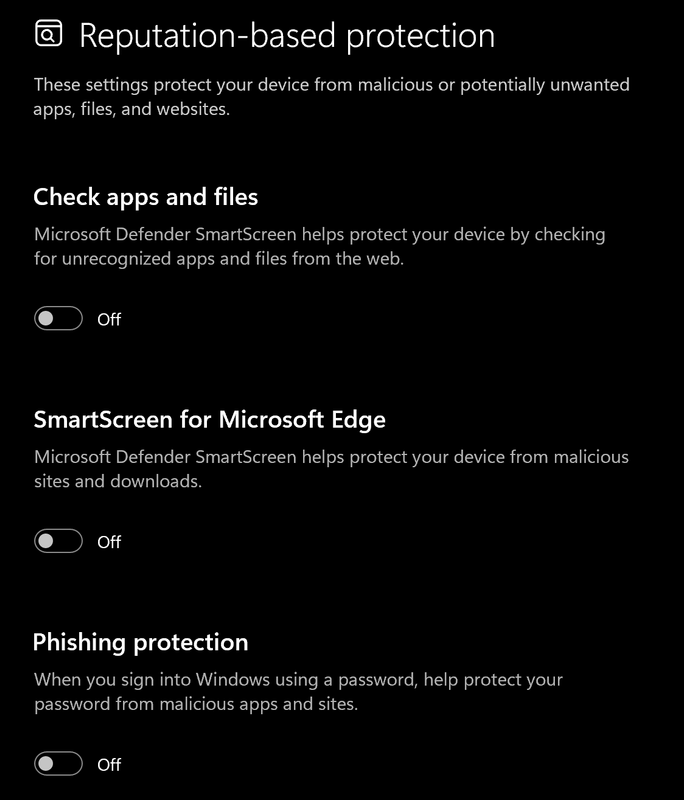
- Go to App & browser control > Reputation-based protection settings
- Turn off all options
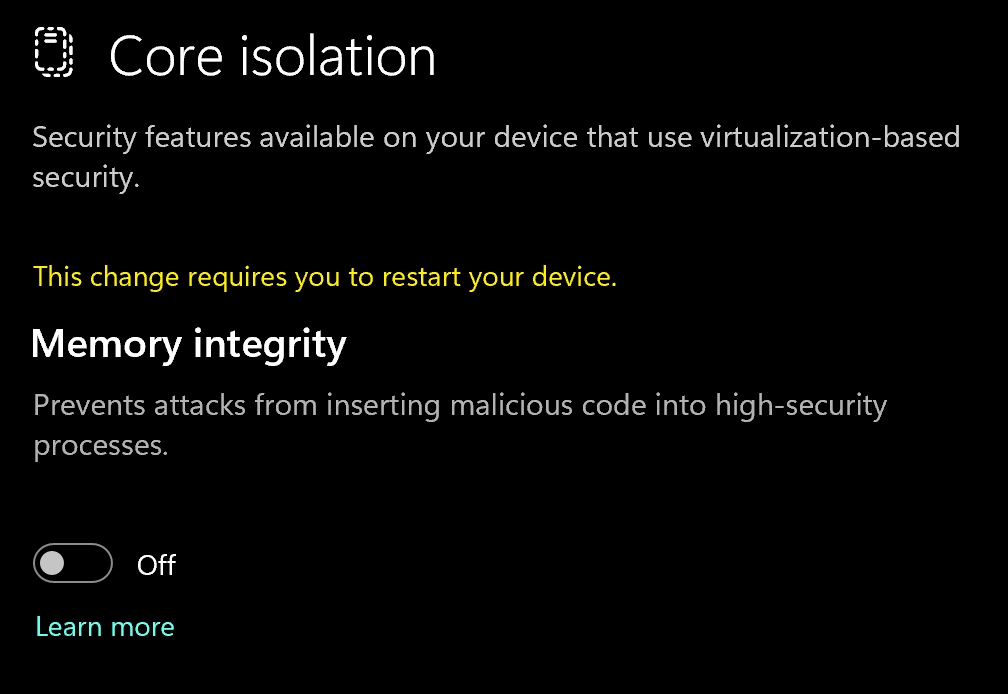
- Go to Device security > Core isolation
- Turn off Memory integrity
Using DControl
If Windows Defender keeps re-enabling, use DControl:- Download WinRar and install it. (Needed to extract archives)
- Download DControl
- Extract the .rar archive with password “sordum”
- Open DControl then press “Disable Windows Defender”
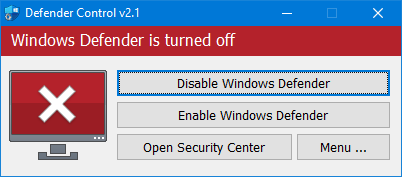
Required Files
https://www.microsoft.com/en-us/download/details.aspx?id=35https://aka.ms/vs/17/release/vc_redist.x64.exe2
Setting up the Cheat
Overlay Setup
This cheat uses the Discord overlay. Set it up in Discord before you load the cheat:- Open Discord and go to User Settings → Game Overlay.
- Enable the standard overlay.
- Disable the legacy overlay.
- Turn on the Overlay and Detection toggles for Tom Clancy’s Rainbow Six Siege X.
- Check that none of the overlay status icons are red. A red icon means that part of the overlay isn’t working.
- Go to User Settings → Advanced and make sure Hardware Acceleration is on.
- Don’t run Discord as administrator.
3
Downloading the Cheat
Cheat Loader Download
You can download the cheat from the link below:https://loader.unbanned.gg/download4
Injecting the Cheat
Loading/Injecting
- Save the Loader somewhere permanent (not your Downloads folder).
- Right-click the Loader and select Run as administrator. Wait 10 seconds before clicking anything.
- First time: click Register and create your account. You enter your license key during registration.
After that: sign in with the username and password you registered (not your Discord or store account). - Click Load.
On your first load (or after a Discord update), Discord may restart. Let it finish, then reopen the Loader and click Load again. - Wait until the Loader shows “Successfully loaded, please launch game”. Do not open Siege before this message appears.
- Launch Rainbow Six Siege.
- Once you’re in the lobby, press INSERT to open the menu.
If the Loader shows a Build transfer panel, it is uploading your copy of the game (
RainbowSix.exe) so the cheat can be set up for your game version. This is normal and only happens once. Let it finish and keep loading as usual.Common Errors
Loader Connection Issues?
Loader Connection Issues?
Use this if the Loader shows in the taskbar but no window opens, or gets stuck on “Waiting for connection” or “Waiting for update”.
- Download: Cloudflare Warp
- Connect to Warp then try to launch the loader!
- Warp not helping? Connect to any VPN and relaunch the Loader. You only need it until the Loader connects.
"Failed to Connect to Discord Overlay"
"Failed to Connect to Discord Overlay"
The Discord overlay is disabled or not running with the game.
- Open Discord and go to User Settings → Game Overlay.
- Enable the standard overlay and disable the legacy overlay.
- Turn on the Overlay and Detection toggles for the game.
- Confirm the overlay shows up in-game when you press your Discord overlay hotkey.
Error 0xBAD01: Discord Installation Folder Not Found
Error 0xBAD01: Discord Installation Folder Not Found
- Open your Discord installation folder. It’s usually
C:\Users\YourName\AppData\Local\DiscordorC:\ProgramData\User\Discord. - Take a screenshot of the folder and send it to support.
- Wait for support to help you with the next step.
Error 0xBAD02: Discord Overlay Failed to Initialize
Error 0xBAD02: Discord Overlay Failed to Initialize
Restart your PC and try again. This usually fixes it.
Error 0xBAD04: Initialization Issue
Error 0xBAD04: Initialization Issue
- Restart your PC and try again.
- Still showing after several restarts? Contact support.
Error 0xBAD05: Discord Running as Administrator
Error 0xBAD05: Discord Running as Administrator
- Fully close Discord, then reopen it without admin privileges.
- Still happening? Follow the steps for 0xBAD01.
Build Transfer Failed: "configGen worker returned failure code 1"
Build Transfer Failed: "configGen worker returned failure code 1"
The Loader couldn’t upload your game build automatically, so you need to send it by hand.
- Contact support and tell them you got configGen failure code 1 on R6.
- Find your
RainbowSix.exe: press Win + E, paste%localappdata%\Ubisoft\r6sinto the address bar, and press Enter. The file is about 100 MB. - Not there? Launch Siege, press Ctrl + Shift + Esc, open the Details tab, right-click RainbowSix.exe, and choose Open file location. Close the game before you copy the file.
- Upload
RainbowSix.exeto Google Drive (or MediaFire, Dropbox, or WeTransfer). Don’t rename it. - Set sharing to Anyone with the link, copy the link, and send it to support.