TIP: To keep things as safe as possible, rely mostly on ESP and only use the more obvious features here and there.
1
Getting Started
Disable Windows Defender
Why is this needed?
Antivirus often flags game cheats as suspicious because they inject code or modify games to enable features like aimbot or ESP. This is normal behavior for all cheat software - not a sign that Noble Cheats is unsafe.
- Open Windows Security
- Go to Virus & threat protection > Manage settings
- Turn off all protection settings:
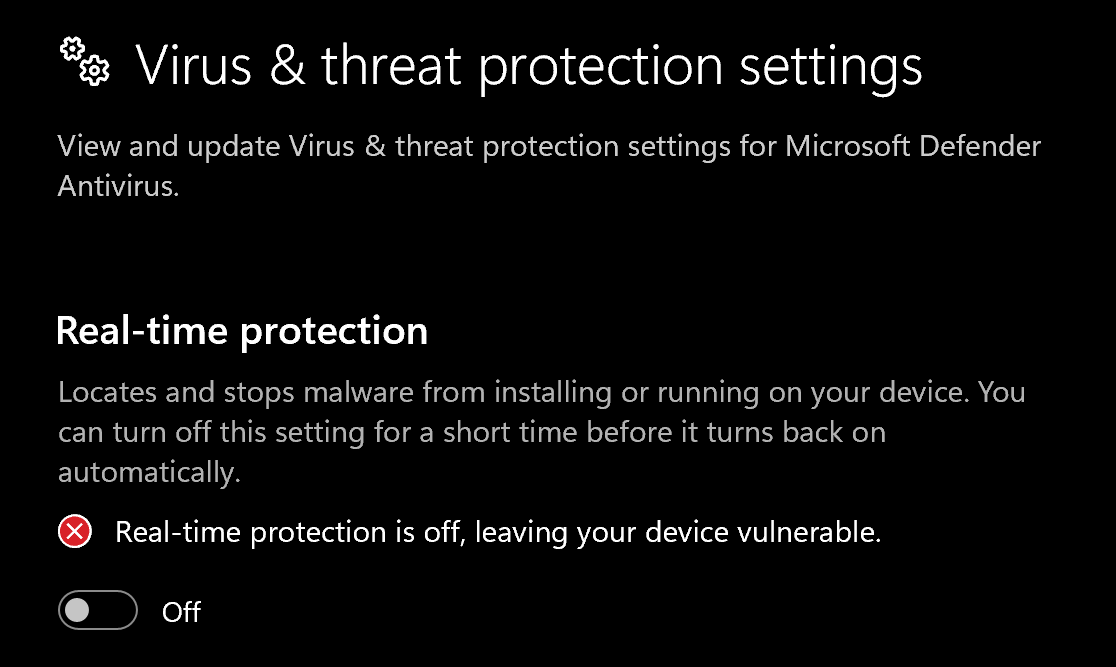
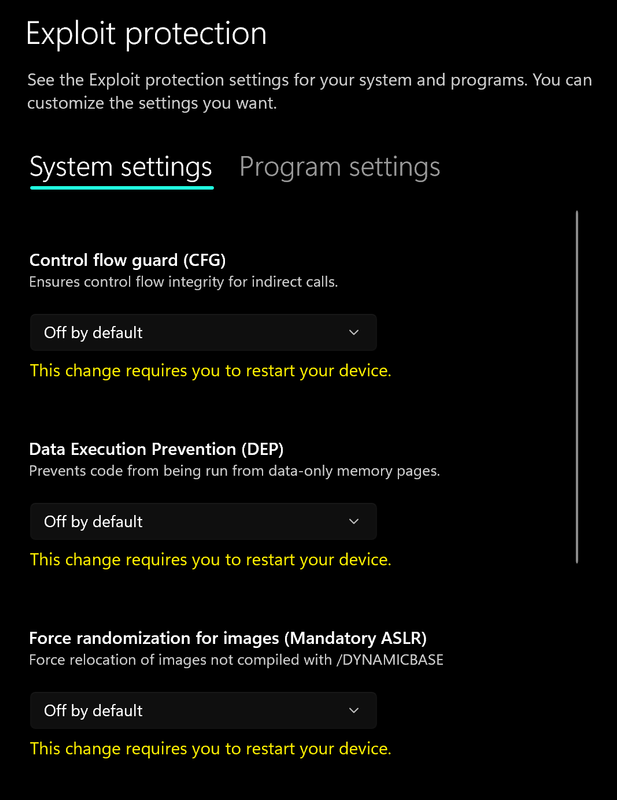
- Go to App & browser control > Exploit protection settings
- Select “off by default” for each option
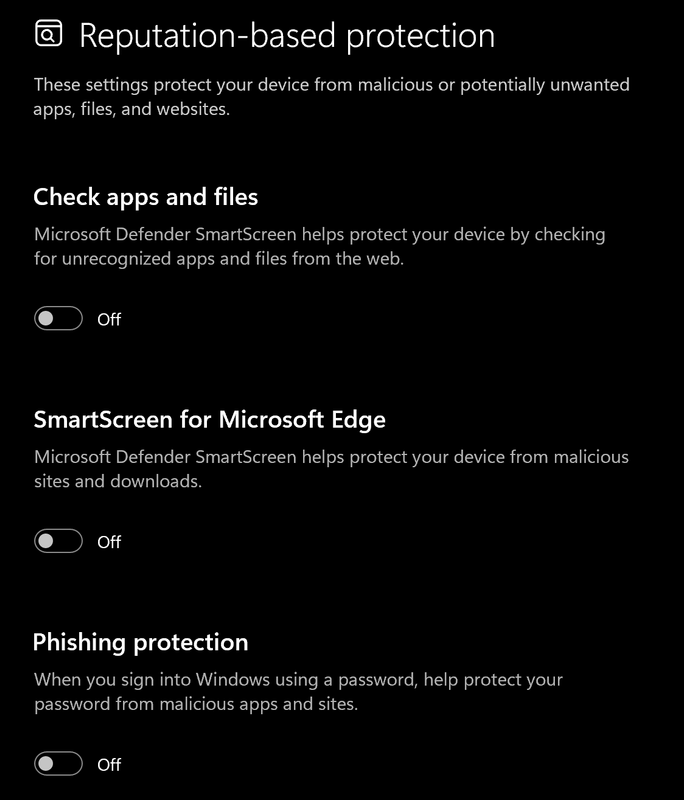
- Go to App & browser control > Reputation-based protection settings
- Turn off all options
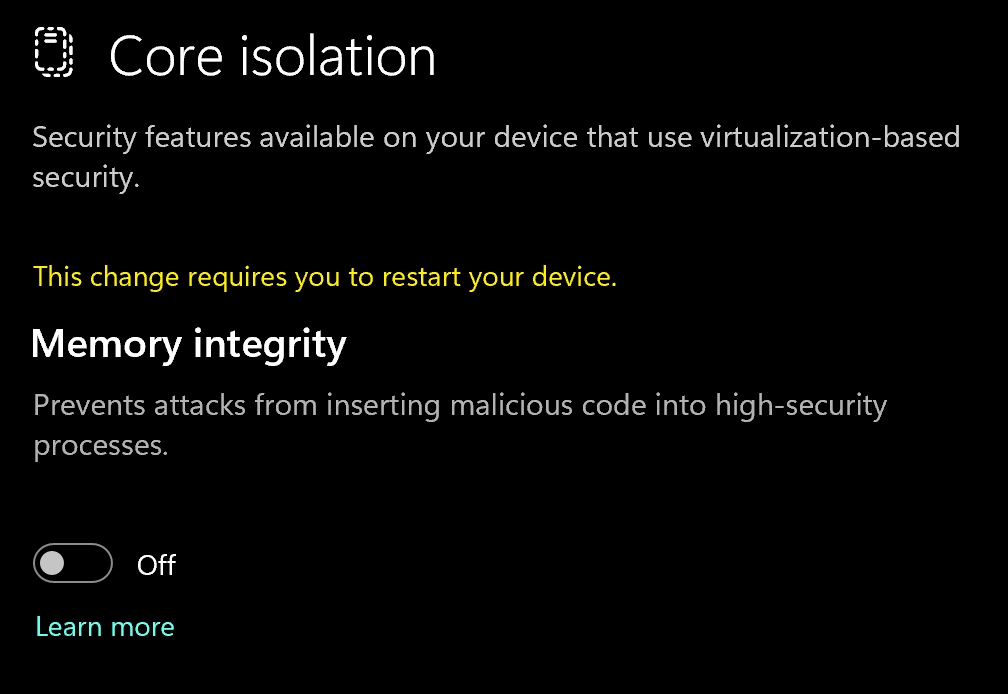
- Go to Device security > Core isolation
- Turn off Memory integrity
Using DControl
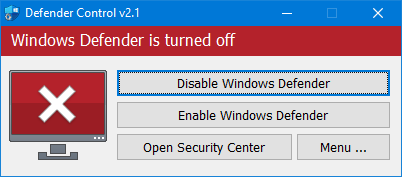
If Windows Defender keeps re-enabling, use DControl:- Download WinRar and install it. (Needed to extract archives)
- Download DControl
- Extract the .rar archive with password “sordum”
- Open DControl then press “Disable Windows Defender”
Required Files
https://www.microsoft.com/en-us/download/details.aspx?id=35https://aka.ms/vs/17/release/vc_redist.x64.exe2
Prepare Computer
Prepare your Computer
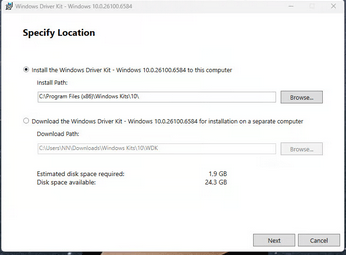
Step 1Download Download the Windows Driver Kit (WDK):
https://go.microsoft.com/fwlink/?linkid=2335869Step 2
Verify Configuration During installation, make sure your selected path match the configuration shown in the screenshot.
3
Downloading the Cheat
Cheat Loader Download
https://mega.nz/file/mM8nQLhR#5fkkxGF-u5wSo2zdnEJ4AO0aOSaD3h4PYC_tg7P0vtk4
Injecting the Cheat
Loading/Injecting
- Install and Run the cheat load
- Then launch the game / This will then restart your PC
- After pc restarted, run loader again
- Open game, once loader closes
- Once you’re in game lobby press F2 and wait until menu appears (10-60 seconds)
In case if you closed the game, you don’t need to restart pc, bypass is loaded into your system until you restart PC, so if you closed the game - you just run loader and open game.
- Press Insert to open and close the menu