TIP: To keep things as safe as possible, rely mostly on ESP and only use the more obvious features here and there.
1
Getting Started
Disable Windows Defender
Why is this needed?
Antivirus often flags game cheats as suspicious because they inject code or modify games to enable features like aimbot or ESP. This is normal behavior for all cheat software - not a sign that Noble Cheats is unsafe.
- Open Windows Security
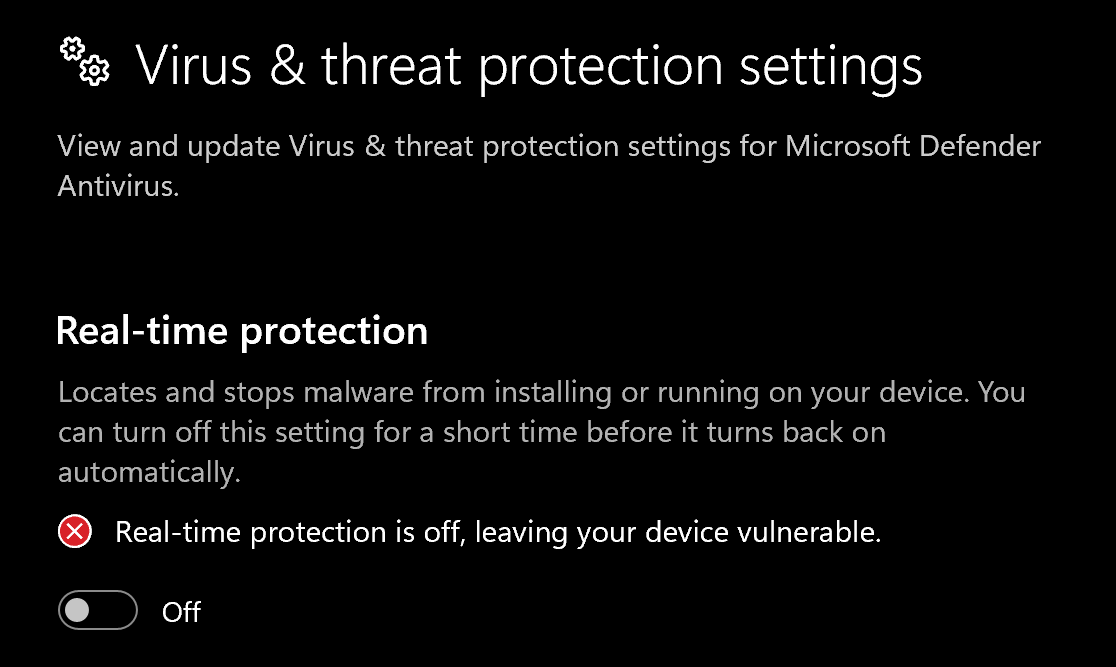
- Go to Virus & threat protection > Manage settings
- Turn off all protection settings:
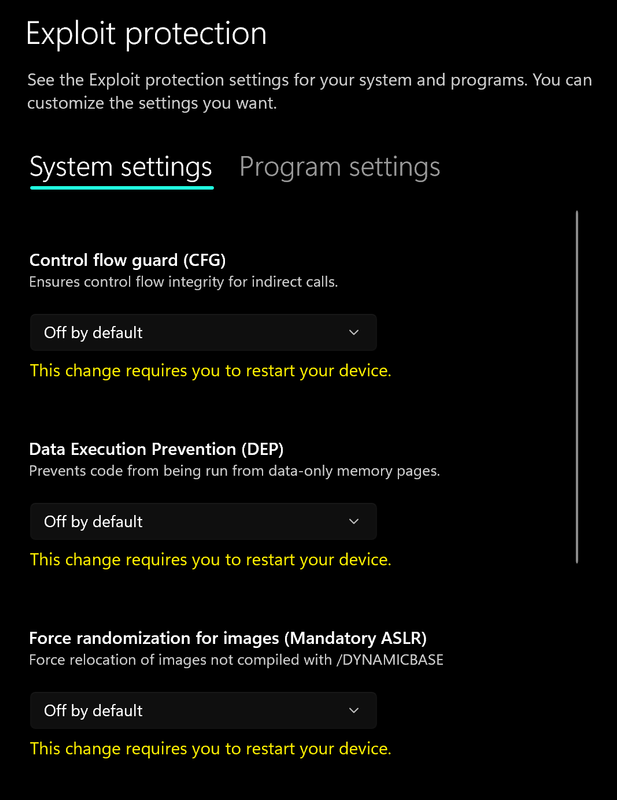
- Go to App & browser control > Exploit protection settings
- Select “off by default” for each option
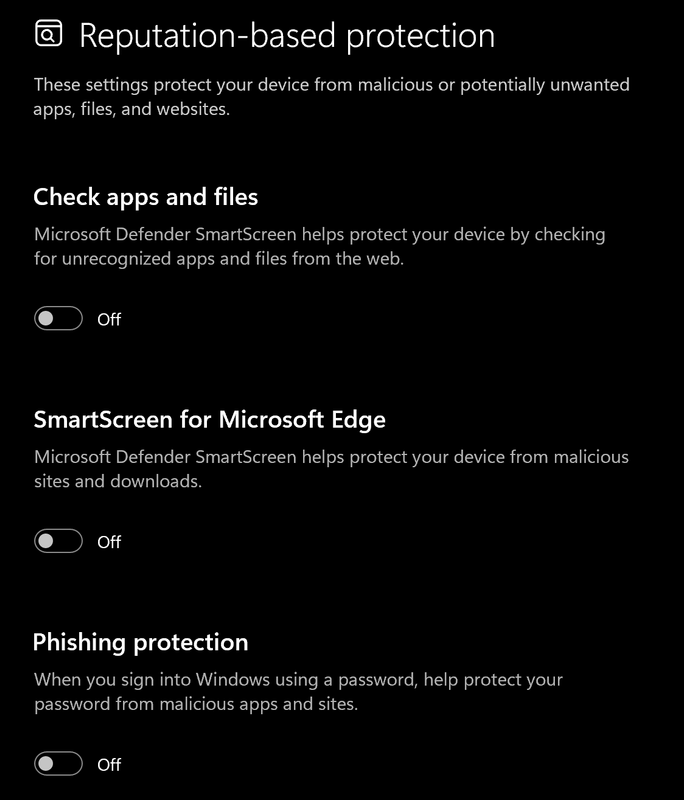
- Go to App & browser control > Reputation-based protection settings
- Turn off all options
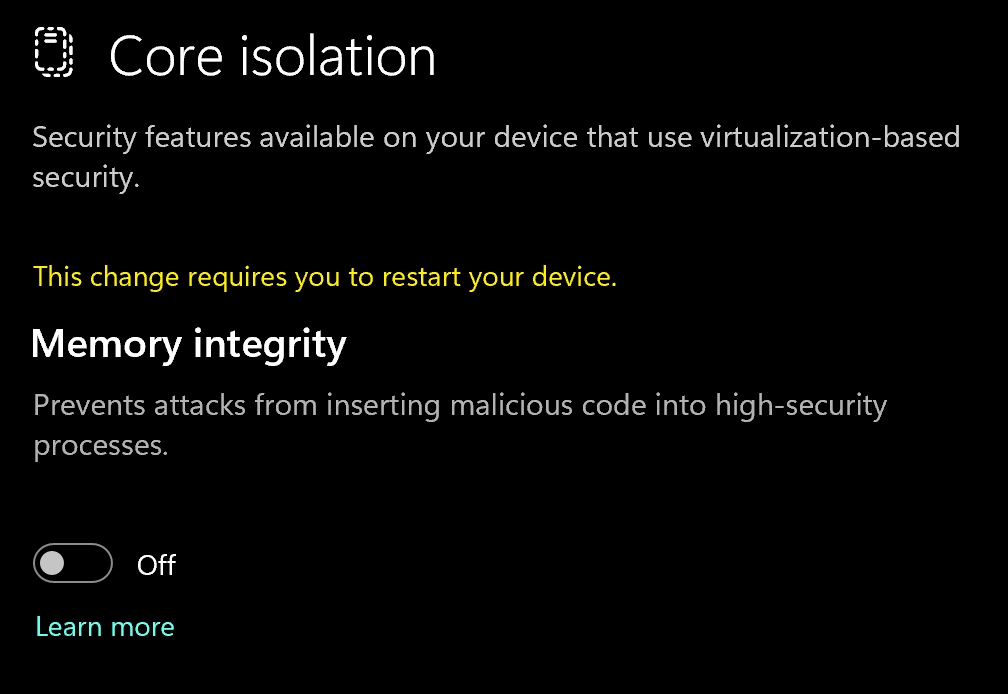
- Go to Device security > Core isolation
- Turn off Memory integrity
Using DControl
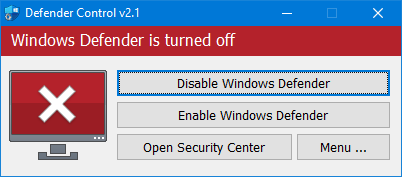
If Windows Defender keeps re-enabling, use DControl:- Download WinRar and install it. (Needed to extract archives)
- Download DControl
- Extract the .rar archive with password “sordum”
- Open DControl then press “Disable Windows Defender”
Required Files
https://www.microsoft.com/en-us/download/details.aspx?id=35https://aka.ms/vs/17/release/vc_redist.x64.exe2
Downloading the Cheat
Cheat Loader Download
Go to https://codultimate.com/Create an account, if you already have one just login.Redeem Your License Key Download loader
 Drag the loader onto a usb if you dont have a physical one you can use a digital USB by watching this video:https://www.youtube.com/watch?v=lAXELKYhwVsAfter running the loader as admin from your usb, Log In with the account you made.
- Once it says successfully injected eject/remove the usb and open your game!
- Open and close the menu by pressing Insert
Common Errors
Loader Connection Issues?
Loader Connection Issues?
- Download: Cloudflare Warp
- Connect to Warp then try to launch the loader!
Bad Request - When trying to login
Bad Request - When trying to login
Sync you Computer time in Windows Settings
Failed to retrieve interface?
Failed to retrieve interface?
Make sure anti virus and anti cheats are uninstalled.If the error remains turn off memory integrity
Buggy ESP (esp all over the place/flickering)
Buggy ESP (esp all over the place/flickering)
Turn off frame gen and make sure windows text scale is 100%If that doesn’t work try to set your game to borderless. And reinject