Documentation Index
Fetch the complete documentation index at: https://docs.noblecheats.net/llms.txt
Use this file to discover all available pages before exploring further.
TIP: To keep things as safe as possible, rely mostly on ESP and only use the more obvious features here and there.
Getting Started
Disable Windows Defender
Why is this needed?
Antivirus often flags game cheats as suspicious because they inject code or modify games to enable features like aimbot or ESP. This is normal behavior for all cheat software - not a sign that Noble Cheats is unsafe.
- Open Windows Security
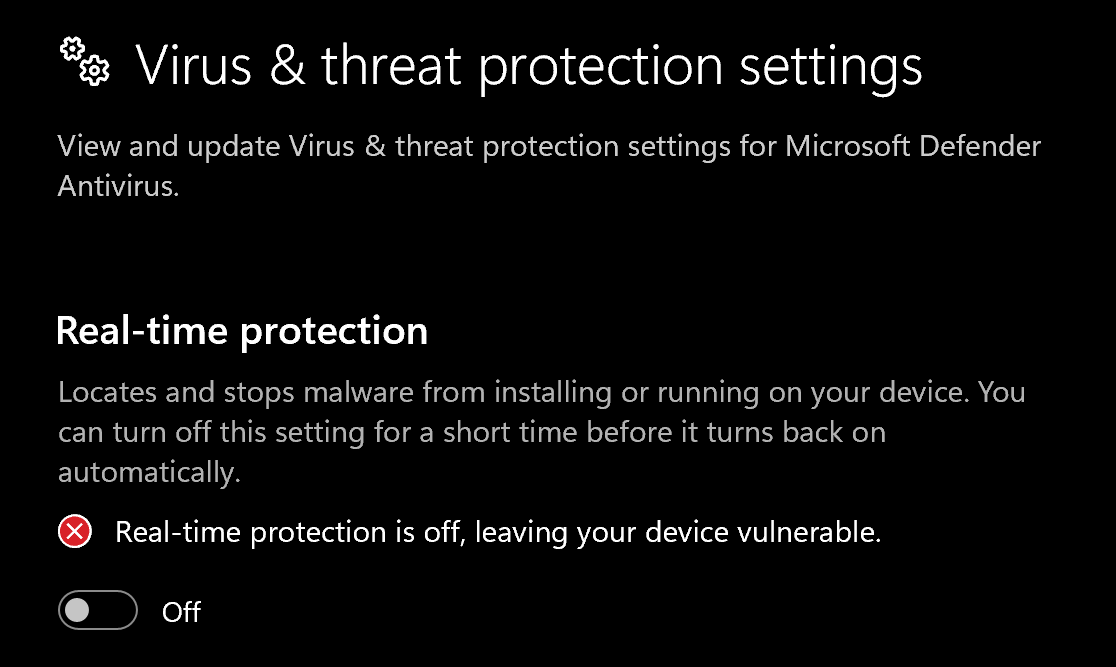
- Go to Virus & threat protection > Manage settings
- Turn off all protection settings:
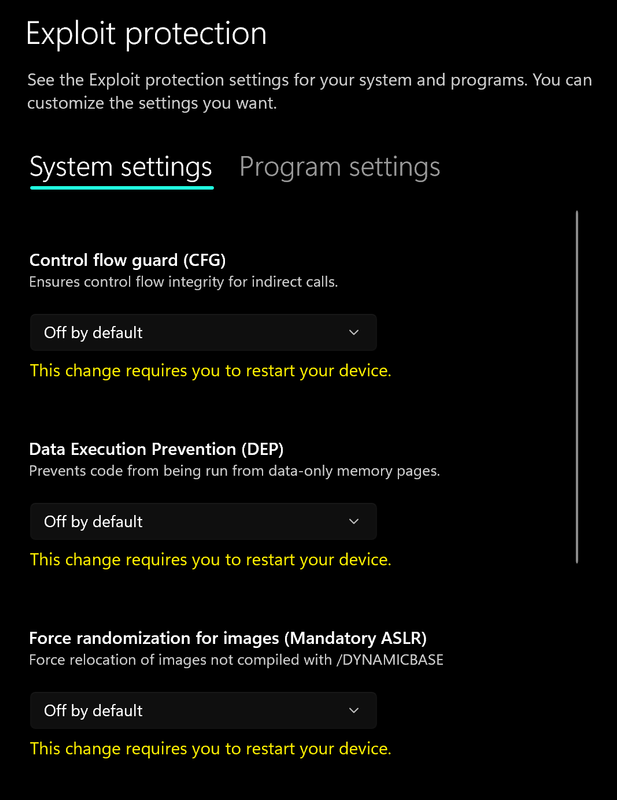
- Go to App & browser control > Exploit protection settings
- Select “off by default” for each option
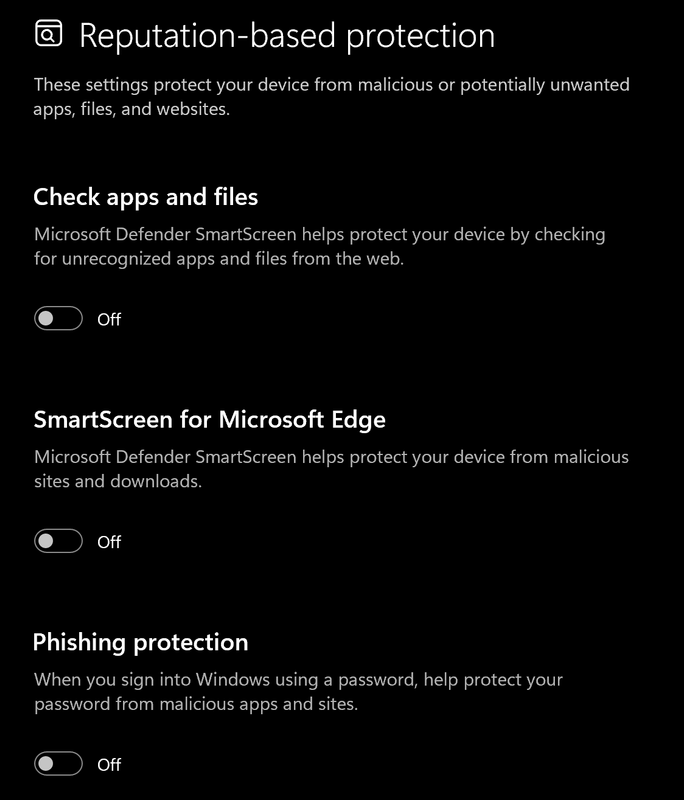
- Go to App & browser control > Reputation-based protection settings
- Turn off all options
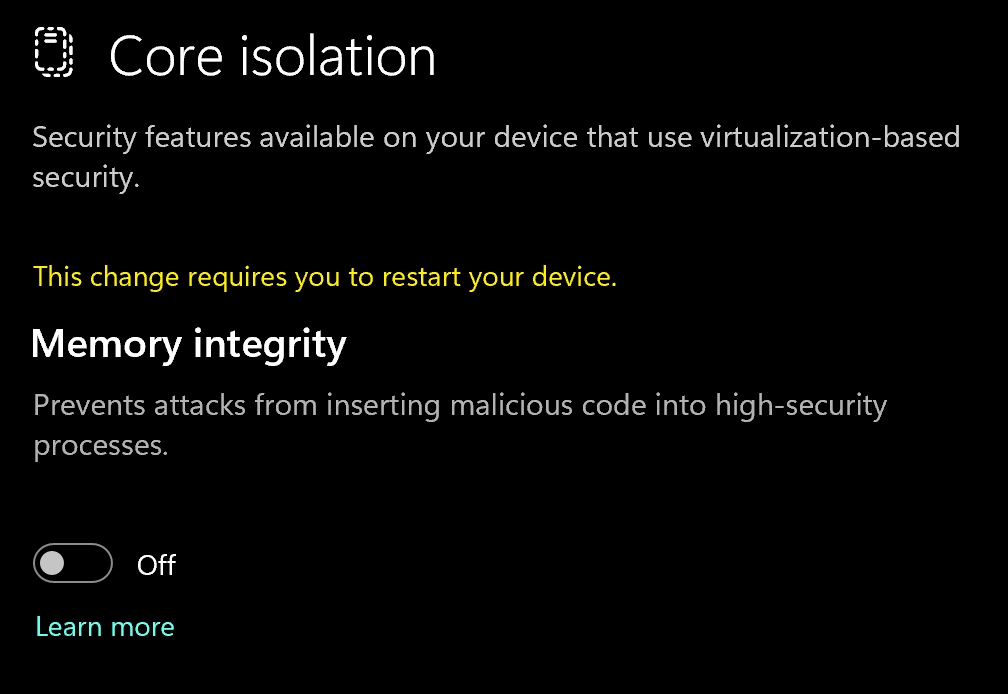
- Go to Device security > Core isolation
- Turn off Memory integrity
Using DControl
If Windows Defender keeps re-enabling, use DControl:- Download WinRar and install it. (Needed to extract archives)
- Download DControl
- Extract the .rar archive with password “sordum”
- Open DControl then press “Disable Windows Defender”
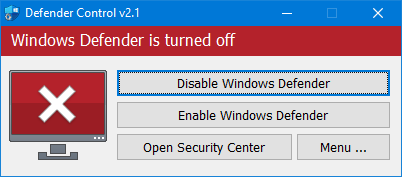
Required Files
https://www.microsoft.com/en-us/download/details.aspx?id=35https://aka.ms/vs/17/release/vc_redist.x64.exeSetting up the Cheat
Overlay Setup
If you have an NVIDIA GPU download this
If you have an NVIDIA GPU download this
GeForce Experience not supported fullscreen:https://www.nvidia.com/en-eu/software/nvidia-app/To use NVidia app overlay, you need to open the settings, go to General and enable IN-GAME OVERLAY
If you have an AMD GPU download this
If you have an AMD GPU download this
SteelSeries supported fullscreen:https://steelseries.com/gg/download/To use SteelSeries, go to Settings in the GENERAL -> General section, turn on Sonar, then go to the SONAR -> Shortcuts tab, put the “F7” key on the Master - Volume Up, you need to press this bind before injection
Downloading the Cheat
Cheat Loader Download
You can download the cheat from the link below:http://undetect.net/download/loaderInjecting the Cheat
Loading/Injecting
- Run the Loader
- Enter your license key, then press inject
- After injecting, the loader will close itself, that means you can Start the Game the Meu Key is “Insert/Ins”
Common Errors
Loader Connection Issues?
Loader Connection Issues?
- Download: Cloudflare Warp
- Connect to Warp then try to launch the loader!
Hyper-V is not running!
Hyper-V is not running!
Enabling Hyper-V on Windows 10 tutorial:https://www.youtube.com/watch?v=FaytvySV04sEnabling Hyper-V on Windows 11 tutorial:https://www.youtube.com/watch?v=lsz88-IWMLA
Error: VMX/SVM is not supported.
Error: VMX/SVM is not supported.
- Solution: To fix this error, go to “Control Panel” -> “Programs and Functions” -> “Enable or disable Windows Functions” and make sure that “Virtual Machine Platform” and “Hyper-V” are disabled.
bcdedit /set hypervisorlaunchtype off”, then press Enter and restart the computer.If the Windows 11 user and the previous methods did not help him, then you should run PowerShell as an administrator and paste the following command there (in full):takeown /F "C:\Windows\System32\hvix64.exe"icacls "C:\Windows\System32\hvix64.exe" /grant *$(([System.Security.Principal.WindowsIdentity]::GetCurrent()).User.Value):Fortakeown /F "C:\Windows\System32\hvax64.exe"icacls "C:\Windows\System32\hvax64.exe" /grant *$(([System.Security.Principal.WindowsIdentity]::GetCurrent()).User.Value):Fdel "C:\Windows\System32\hvix64.exe"del "C:\Windows\System32\hvax64.exe"Error: Failed to allocate memory/to map memory (x) Please reboot pc and try again.
Error: Failed to allocate memory/to map memory (x) Please reboot pc and try again.
Solution: The driver was installed incorrectly, you need to reboot the pc and try again(If you are in an internet cafe but the error is recurring, you need to try another PC). If it doesn’t help, clean the autorun programs. If the error still persists, we recommend downloading Autoruns https://learn.microsoft.com/en-us/sysinternals/downloads/autorunsand disabling all programs that are in the startup list but are not system programs. In some cases, drivers for deleted programs may remain in the system.